Top 10 Ways to Reset a Smart Massage Chair Remote?

Time:2026-09-08 Author:Ethan
0%

A smart massage chair remote can seem simple until its buttons stop responding, the screen freezes, or programs start without clear commands. A reset may restore normal control, but the correct method depends on the chair model, remote type, and power system. This guide introduces the top 10 ways to reset a smart massage chair remote safely, without guessing or forcing delicate controls.

According to massage-chair service technician Ken Okada, “A reset should remove stored confusion, not create new damage.” That advice matters. Some remotes need fresh batteries, while others require a power cycle, button combination, Bluetooth reconnection, or a factory reset through the chair’s display. Unplugging the chair too quickly can also interrupt its control board. Small details matter here.

The guide focuses on practical checks that technicians often perform beside a real chair. Look for dim indicators, loose cables, blocked sensors, and unusual clicking sounds. Keep the remote close during wireless pairing. Record your current settings before erasing them. It is easy to overlook that step.

Not every reset works.

The instructions also explain when resetting is the wrong move. A damaged cable, liquid exposure, failed receiver, or persistent error code may require qualified service. Do not open the remote while the chair remains connected to power. For readers searching how to reset a smart massage chair remote, these methods provide a careful starting point, while leaving room for one honest conclusion: sometimes the remote is not confused; it is broken.
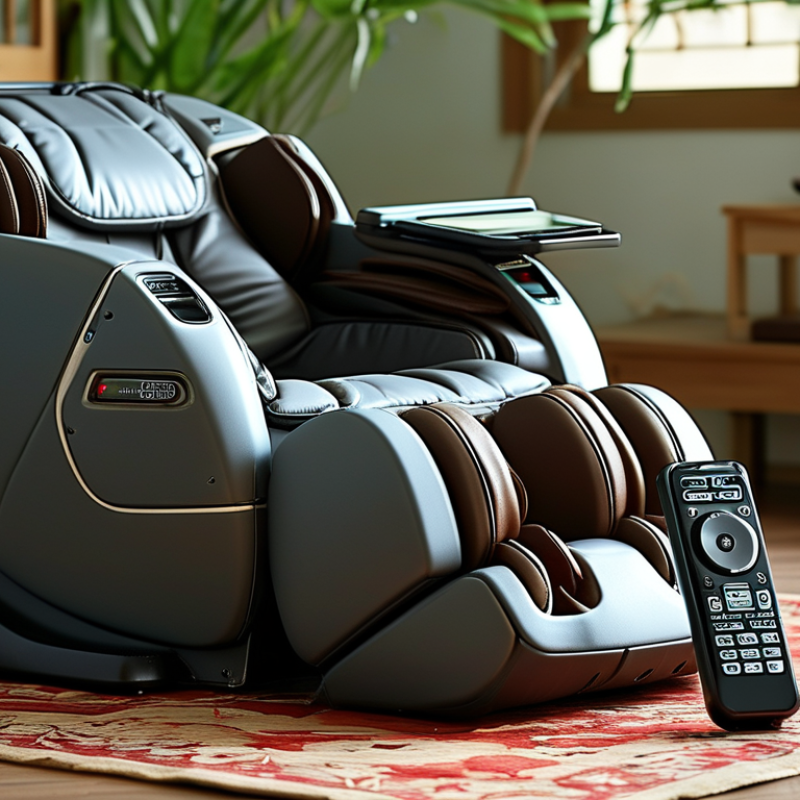
Top 10 Ways to Reset a Smart Massage Chair Remote?

Understanding Why a Smart Massage Chair Remote Needs a Reset

Top 10 Ways to Reset a Smart Massage Chair Remote

Understanding Why a Smart Massage Chair Remote Needs a Reset

A smart massage chair remote may need resetting when commands lag, buttons respond twice, or the display freezes. These problems often come from drained batteries, interrupted power, or confused wireless pairing. A reset clears temporary errors and helps the remote communicate with the chair again.

Start by removing the batteries for one minute. Press each button once while the batteries are out, then install fresh batteries correctly. If the remote uses a cable, unplug it and inspect the connector for dust or looseness. Turn off the chair, disconnect its power briefly, and reconnect it safely. Some remotes also include a small reset hole, pairing button, or menu option for restoring settings. Check the user manual before using these controls.

Do not assume every fault needs a reset. Test the remote from close range, unlock its control panel, and confirm the chair has power. Re-pairing may solve wireless delays, while clearing saved programs can remove corrupted settings. I once treated weak batteries as a software problem, which wasted time. That mistake still matters. If the remote remains unresponsive, stop repeated resets and contact a qualified technician. A damaged cable, failed sensor, or internal circuit requires proper testing, not guesswork. Keep hands dry, avoid forcing connectors, and never open electrical housing without suitable training.

Checking Power, Batteries, and Basic Remote Connections

When a smart massage chair remote stops responding, begin with power rather than pressing every button. Turn the chair off, unplug it, and wait at least 60 seconds. This pause lets stored electrical charge settle and gives the control system a clean restart. Check the wall outlet with another approved appliance. Inspect the chair’s power cable for looseness, cuts, or unusual heat. Do not continue using damaged wiring.

Remove the remote batteries, even if they seem new. Match each battery’s positive and negative markings with the compartment diagram. Wipe dusty contacts with a dry, lint-free cloth. Never scrape them aggressively. Insert fresh batteries of the specified type, then test one command at a time. Weak batteries can light the display while failing under button pressure. I have made that mistake myself.

If the remote uses a cable, unplug it from the chair and remote, then reconnect it firmly. Look for bent pins, trapped fabric, or a connector that sits crooked. Wireless models may need pairing after power is restored; follow the chair’s manual instead of guessing a button combination. Keep the remote close during pairing and remove nearby electronic interference when possible. If the chair powers on but ignores every command, stop repeated resets and contact qualified service support. A reset is not always the cure; a failing receiver or damaged control cable may need testing.

Using Standard Reset Methods for Common Massage Chair Remotes

Top 10 Ways to Reset a Smart Massage Chair Remote

Using Standard Reset Methods for Common Massage Chair Remotes

A remote may stop responding because of a temporary software error, weak batteries, or a loose connection. Start with the simplest reset method. Press Stop, wait ten seconds, and press Power again. If nothing happens, unplug the chair from the wall for two minutes. This clears stored electrical charge. Remove the remote batteries during this pause. Then install fresh batteries with the correct polarity. Check the battery contacts for dust or slight corrosion. A dry cotton swab often helps. Do not use water near the control panel.

Other common methods include holding Power for five seconds, pressing Stop and Heat together, or holding Mode and Power together. These combinations vary by remote design. Some controllers include a small recessed Reset button. Press it gently with a blunt plastic tool. A child-lock function may also block every command. Hold the Lock button, or its marked pair, for three to five seconds. If the remote uses wireless pairing, turn off the chair, restart the remote, and follow its pairing sequence. I once assumed a dead remote needed replacement. The real problem was an overlooked lock setting.

A factory reset may restore normal operation, but it can erase saved programs and user settings. Record preferred settings before using it. Inspect the cable for bends, crushed sections, or a loose plug. Never open the power supply without qualified technical support. If the chair moves by itself, smells hot, or repeatedly loses control, disconnect it immediately. The exact button sequence should come from the supplied manual, because similar-looking remotes can use different reset commands.

Top 10 Ways to Reset a Smart Massage Chair Remote? - Using Standard Reset Methods for Common Massage Chair Remotes
No. Reset Method Standard Procedure Best Used When Expected Result Important Note
1 Power Cycle the Chair Turn the chair off with its main power switch, unplug it from the wall, wait at least 60 seconds, reconnect the plug, and turn the chair on again. The remote is frozen, slow, or not responding. Temporary control or communication errors may clear. Use a properly grounded outlet and keep the chair clear before restarting.
2 Replace the Remote Batteries Open the battery compartment, remove all batteries, install fresh batteries of the specified type, and confirm the polarity markings. The display is dim, buttons work intermittently, or the remote does not turn on. Restores normal power to battery-operated remotes. Do not mix old and new batteries or different battery types.
3 Hold the Stop or Power Button With the chair powered on, press and hold the remote's Stop or Power button for approximately 5–10 seconds, then release it and wait for the remote to restart. A control panel is locked after an interrupted massage program. The active session may stop and the control interface may become responsive. The exact button and hold time vary by remote design.
4 Clear the Remote's Temporary Power Remove the batteries, press and hold several remote buttons for about 10 seconds, wait one minute, and reinstall the batteries. The remote remains unresponsive after a battery change. Residual charge in the control circuit may be discharged. This is a soft reset and does not restore lost settings or pairing data.
5 Reconnect a Wired Remote Switch the chair off and unplug it. Inspect the remote cable, align the connector correctly, push it firmly into the matching socket, and restart the chair. A wired remote shows no display or works only when the cable is moved. A loose connection may be restored. Never force a connector or insert it into an incompatible port.
6 Re-pair a Wireless Remote Turn the chair on, activate the remote's pairing mode if available, then press the chair's pairing or connect button until the indicator confirms the connection. A wireless remote has lost communication with the chair. The remote and chair may establish a new wireless connection. Pairing buttons and indicator patterns differ between models.
7 Return the Chair to the Home Position Press the Home, Zero Gravity, or Return button and allow the chair to complete its movement without interruption. The chair stops mid-cycle or position sensors appear confused. The chair may recalibrate its standard reclined or upright position. Keep people, pets, and objects away from moving sections.
8 Cancel the Current Massage Program Press Stop or Cancel once, wait for all motors to stop, return to the main menu, and select a new program only after the chair is idle. The remote is responsive but remains stuck in an automatic routine. The current program is ended without restarting the complete system. Do not repeatedly press buttons while the chair is moving.
9 Restore Default Settings from the Menu Open Settings or System, locate Reset, Factory Reset, or Restore Defaults, confirm the selection, and allow the remote to restart. Saved preferences, timers, or calibration values are causing recurring problems. User settings may return to their original defaults. This can erase saved programs, language choices, timers, and user preferences.
10 Perform a Full System Reset Stop the chair, switch it off, unplug it for several minutes, reconnect it, and follow the remote's documented reset or initialization procedure if one is provided. Multiple reset methods fail or the chair displays a persistent error. The control system may restart from a clean power state. Stop immediately if there is smoke, burning odor, unusual noise, overheating, or repeated error codes.
Safety note: Reset procedures are general methods for common smart massage chair remotes. Button names, pairing steps, reset options, and hold times can vary by model. Consult the chair's user manual before using a factory reset, and disconnect power before inspecting cables or connectors.

Applying Brand-Specific and Advanced Reset Procedures

Top 10 Ways to Reset a Smart Massage Chair Remote?

  1. A remote reset should match the chair’s control system.
  2. Start with fresh batteries, remove them for 60 seconds, and clean the contacts with a dry cloth.
  3. Then unplug the chair for three minutes, reconnect power, and test the handset.
  4. Check the remote’s infrared path and press the pairing button if wireless control is used.
  5. Disable child-lock mode, if enabled.
  6. Review the model manual for its approved key combination.
  7. Some systems require holding Stop and Power together.
  8. Others use a hidden reset pin.
  9. Never guess the service-mode sequence.
  10. Save personal programs before restoring factory settings.
  11. Finally, inspect the power adapter and remote cable for looseness or heat damage.
Connected controls are now routine. The Consumer Technology Association’s 2024 ownership study reports smart speakers in roughly one-third of U.S. households, showing how common remote pairing has become. Parks Associates’ 2024 smart-home research also identifies connectivity failures as a recurring support issue.

Massage-chair remotes can fail for simpler reasons, though. A drained battery often looks like a software fault. Advanced resets may clear pairing memory, recalibrate buttons, or restore stored error codes.

Use them only after a normal power cycle fails. Keep the chair empty during testing, and avoid opening the control housing. That point deserves more attention.

I have seen reset guides skip model differences, which can create confusion. The safest record includes the error display, reset time, button sequence, and result. A short video can help qualified support staff diagnose the problem accurately.

Testing the Remote and Solving Reset Problems Safely

Smart Massage Chair Remote Reset: Testing the Remote and Solving Reset Problems Safely

A frozen remote does not always need a factory reset. I once blamed a software fault. The real problem was a loose battery contact. Remove the batteries, wait two minutes, and press every button once. Install fresh batteries with correct polarity. Clean visible contacts with a dry cotton swab. Check the cable, infrared window, and pairing indicator. Never use water inside the remote. The Global Wellness Institute’s 2024 Global Wellness Economy Monitor valued the wellness economy at 6.3 trillion dollars in 2023. More devices also mean more small control failures.

Test the remote near the chair. Aim directly at its receiver. Try one function at a time. If only one button fails, the keypad may be worn. If every button fails, test another battery set. Unplug the chair before checking external cables. Wait five minutes, then reconnect it. Use the remote’s reset pinhole only when the manual confirms its purpose. Some pinholes change pairing settings. They do not erase every fault. CPSC battery-safety guidance also warns against damaged cells, heat, and loose battery compartments.

If the chair moves unexpectedly, stop testing. Unplug it. Do not open the control box. Burning smells, warmth, cracked plastic, or repeated resets require qualified service. Record the remote’s light pattern and the failed function. This evidence helps a technician diagnose the receiver, cable, or remote. My own troubleshooting notes are imperfect, but writing each test prevents repeated guesses. A reset should restore control, not create a new hazard.

Top 10 Ways to Reset a Smart Massage Chair Remote

Use these general troubleshooting steps in order, beginning with low-risk checks. Always follow the chair’s user manual, keep hands dry, and disconnect power before inspecting plugs or internal components.

How to read the chart: The values represent the recommended troubleshooting order, from simple remote checks to steps that may require the chair manual or qualified service support. Do not open the remote or chair housing while connected to power.

FAQS

: Why might a smart massage chair remote need resetting?

: Delayed commands, repeated button responses, or a frozen display may indicate temporary errors. Weak batteries are common.

What is the safest basic reset method?

Remove the batteries for one minute. Press each button once, then install fresh batteries correctly. Check polarity.

Should the chair’s power supply also be reset?

Yes. Turn off the chair and disconnect it briefly from the wall. Wait two minutes. Reconnect it safely.

How can I check for a loose remote connection?

Inspect the cable, plug, and connector for dust, bends, or looseness. Keep your hands dry. Never force the plug.

What if the remote uses wireless pairing?

Turn off the chair and restart the remote. Follow the pairing steps in the supplied manual. Stay close to the chair.

Could a child-lock function block every command?

Yes. A locked control panel can appear completely unresponsive. Hold the Lock button, or its marked button pair, for three to five seconds.

When should I try a factory reset?

Use it only after simpler methods fail. It may erase saved programs and personal settings. Record preferred settings first.

What should I do if resetting does not solve the problem?

Stop repeating resets. A damaged cable, failed sensor, or internal circuit may need testing by a qualified technician. Do not guess.

When should I disconnect the chair immediately?

Disconnect it if the chair moves unexpectedly, smells hot, or repeatedly loses control. Safety matters more than convenience.

Conclusion

Resetting a smart massage chair remote can restore normal operation when the controls become unresponsive, buttons behave strangely, or the connection is interrupted. Before attempting a reset, check that the chair is receiving power, replace weak batteries, and make sure the remote cable or wireless connection is secure. Understanding these basic causes can prevent unnecessary troubleshooting and protect the remote from damage.

To learn how to reset a smart massage chair remote, begin with standard methods such as turning off the chair, disconnecting it briefly, and restarting both the chair and remote. Some remotes may also use a dedicated reset button or a button combination, so follow the instructions provided with the product. If a basic reset fails, try the appropriate advanced procedure described in the user guide without forcing any controls or opening the device. Afterward, test every button and chair function carefully. If problems continue, stop using the remote and seek qualified technical assistance.

Ethan

Ethan

Ethan is a seasoned marketing professional with a deep expertise in our company's innovative product line. With a passion for sharing knowledge and insights, he takes the lead in regularly updating our corporate blog, where he explores industry trends, product features, and effective marketing......